Blog

Posts Tagged ‘opengeo suite’

In the Cloud

The OpenGeo Suite is designed to help you publish and share your geospatial data. Since applications like GeoExplorer and GeoServer are web-based, the OpenGeo Suite has always been itching for the cloud. We’re removing the final hurdle by making it possible to deploy without your own infrastructure—the OpenGeo Suite is now optimized for the cloud!

While there’s a lot of talk and hype about cloud computing, at its most basic it is really just externally hosted servers. In the cloud, computing power is more like a commodity or a utility. By dynamically allocating server resources, cloud deployments enable ownership while also minimizing the effort involved in managing hardware. Consider the extra benefits of high availability, dynamic storage, auto-scaling, etc., as bonuses.

Though we’ve provided limited cloud services in the past, today we are throwing the gates wide open with almost a dozen new tiers from two providers: Amazon Web Services and Skygone. Many people are familiar with Amazon Web Services (AWS) and their cloud computing platform. As leaders in cloud computing providing managed hosting solutions specifically geared towards geospatial applications Skygone is a natural fit for OpenGeo.

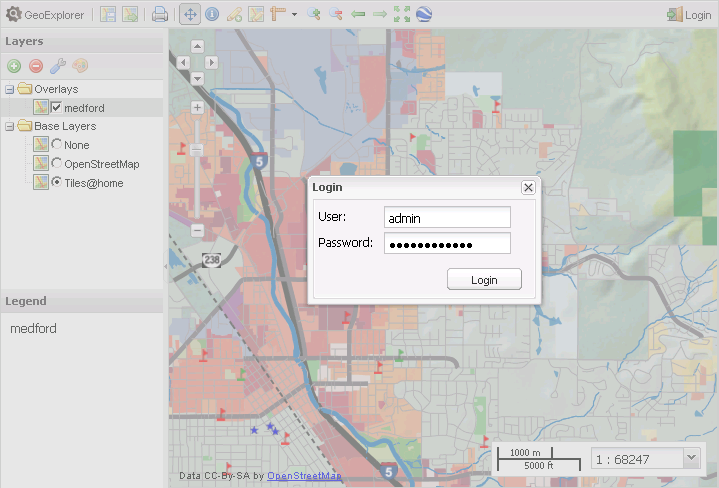
Signing up for the OpenGeo Suite on the cloud means having a public server provisioned for you, already configured, and ready to go within minutes. We do the hard work so you can concentrate on doing yours. Go on, upload some data with GeoExplorer and share a map with your friends to see just how easy it is.

In keeping with our desire to promote the OpenGeo Suite for any budget, we have many different options for cloud deployment. For those who want to start small, we offer tiers on Amazon with no setup fee and only a modest per hour charge. For those who want support from OpenGeo, we offer a number of plans with a range of computing power. With our partners at Skygone, we are offering a free trial of the OpenGeo Suite with no payment required to start; just enter in some information, and within a few minutes, the OpenGeo Suite is ready to go.

For more details, please see our Cloud Edition website.nd if you have any questions about our new offerings. This is only our initial release, so please send us some feedback and let us know if there are any issues with your initial deployments.
OpenGeo Suite Cloud Edition

OpenGeo Suite Enterprise Edition 2.4.2 released

Hot on the heels of last week’s Community Edition roll-out, we are happy to announce the newest version of the OpenGeo Suite Enterprise Edition. This version comes off an extended testing period, and incorporates feedback from our Community Edition users, as well as the wider project communities.

While not a large overhaul, this new version does feature better handling of authentication in GeoExplorer. No more unauthorized access!

Now that GeoExplorer has integrated styling, editing, composing, and publishing, it is well on its way to becoming a full one-stop shop for all of your web GIS needs.

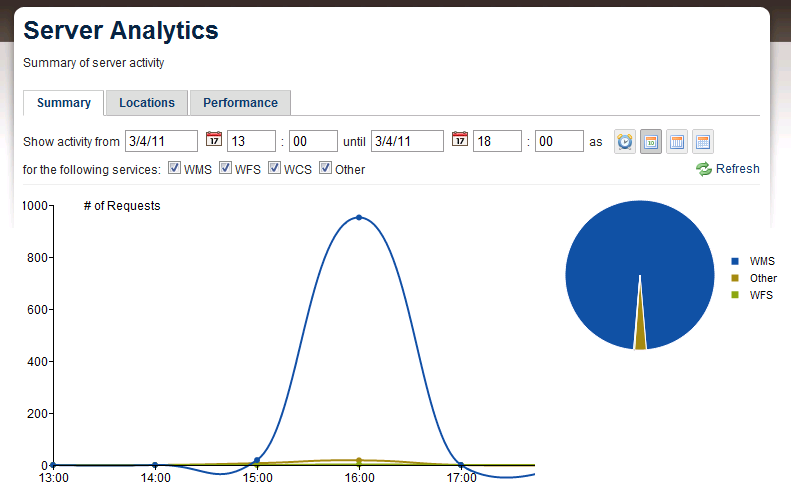
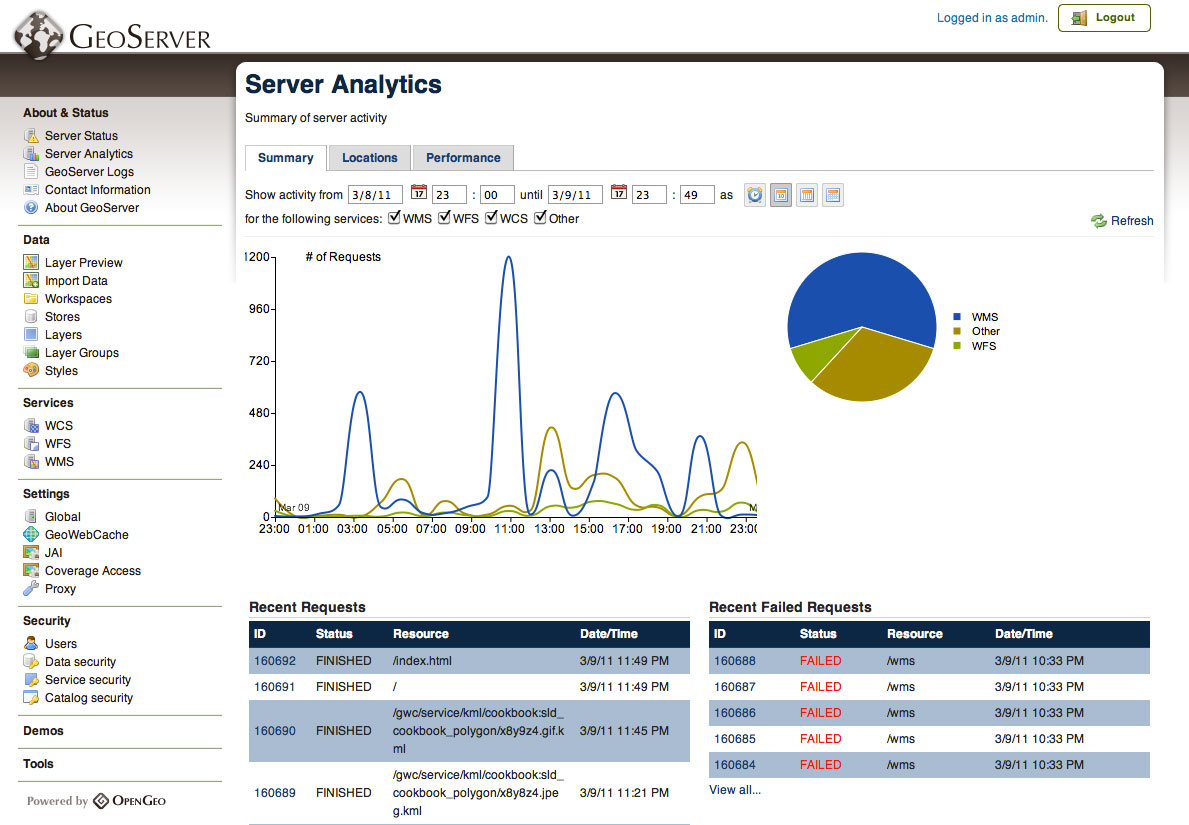
The Enterprise Edition’s Suite Analytics module now saves statistics to the included PostGIS database instead of a standalone H2 database. Suite Analytics, for those who aren’t familiar, is a module inside GeoServer for visualizing and managing server loads more effectively.

As usual, we offer a 30 day free trial of the OpenGeo Suite Enterprise Edition. Once you’ve gotten a taste of what’s possible with the OpenGeo Suite, we are confident that you and your organization will see the value of becoming an Enterprise Edition client. If you want to learn more about the OpenGeo Suite first, simply take the tour.

We’ve got some very exciting plans in the near future. We’re helping to move the world of web GIS forward, so we’d love to have you on board. You’ll be in great company.

Bridging the GIS divide

If you use desktop GIS software, you’ve probably been keeping an eye on the proliferation of web-based GIS. Perhaps you’ve even wanted to get involved but have been reluctant to migrate away from familiar tools. Well, you’re in luck! Our partner, GeoCat, has recently released GeoCat Bridge, an extension to ArcMap that allows users to publish their data using the OpenGeo Suite simply and easily.

With GeoCat Bridge, you can continue to use all of the tools provided by Esri to style and edit maps on your desktop and then use Bridge to publish the contents to the OpenGeo Suite. Bridge handles the data loading as well as the conversion of style information to Styled Layer Descriptor (SLD), the markup language used for styling within the OpenGeo Suite.

It’s a great day for users of desktop GIS software—call it a bridge to the future.

Learn more about GeoCat Bridge and the OpenGeo Suite

OpenGeo Suite Tour

Our flagship product, the OpenGeo Suite, is tailor-made for system administrators, web developers, and GIS analysts alike. Being many things to different people means that we get a lot of questions from those wondering if the software is right for their organization.

With this feedback, we’ve put together an OpenGeo Suite Tour designed to give you a feel for the product as a whole. In this tour, we hope it will show you how deployment can benefit your work, both in web-based GIS, interoperability with existing systems, the power of open source, and most of all, production-ready software.

Take the OpenGeo Suite Tour

OpenGeo Suite Enterprise Edition 2.4.0 released

March comes in like a lion with a new OpenGeo Suite Enterprise Edition release! Most exciting are the new features, including:

Suite Analytics, an interface that allows sysadmins to visualize and analyze server activity and performance. With this tool one can accurately measure traffic loads and use that information to properly configure and optimize server resources.

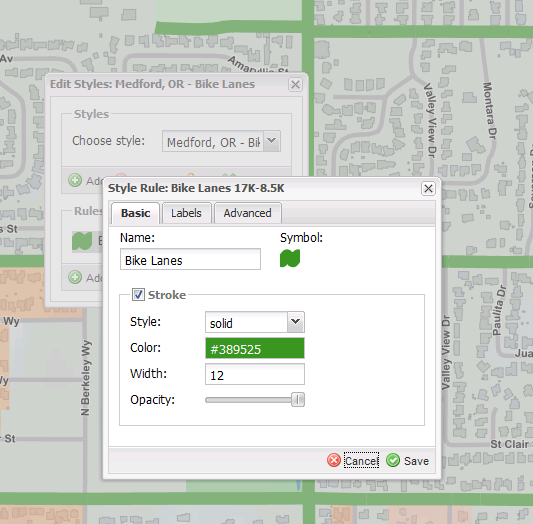
Styling and editing from inside GeoExplorer. While we still have the stand-alone Styler and GeoEditor applications, map composition is even easier now that all of their features are available right inside GeoExplorer. Edit GeoServer styles right from the layer properties, edit a feature’s attributes, or draw new features from the same web-based tool—no installation necessary.

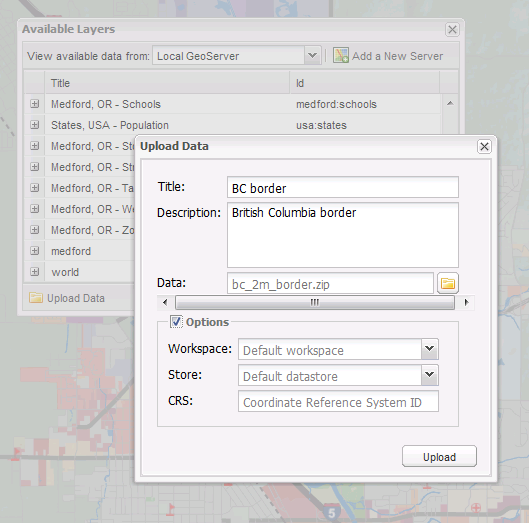
Upload data through GeoExplorer directly into GeoServer. This precisely mirrors the same process as our GeoServer layer importer, so your layers will be configured and loaded without needing to leave the application.

There are also plenty of other improvements since our previous Enterprise Edition was released. GeoServer has been upgraded to the latest release candidate of 2.1.0, which now includes WMS 1.3—the latest version of the Web Map Service standard so vital to INSPIRE compliance. GeoWebCache has been upgraded to 1.2.4 which includes new features for automatic management of tile storage, among other things. GeoExt has released a stable 1.0 API, so developers can build applications with confidence. And GeoExplorer has many new base layers to choose from, including MapQuest and Bing.

While on a longer release cycle than the Community Edition, the Enterprise Edition is the supported version of the OpenGeo Suite. As such, we ensure that the software is tested and working as it should across all the platforms we support. And of course, our Enterprise clients get unlimited bug fixes, upgrades, and much more. Why not try a free 30-day trial of the OpenGeo Suite Enterprise Edition and explore all of the features not yet available anywhere else?

MapQuest Imagery and OSM Tiles in GeoExplorer

Last week MapQuest announced the addition of aerial imagery to the the tile sets they provide through their open tiles service. Today, we’re excited to announce a new Community Edition of the Suite that provides access to these beautiful imagery and OSM layers in GeoExplorer.

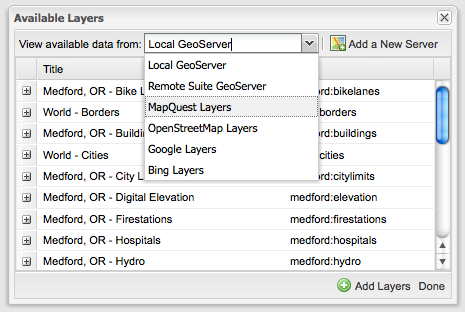
GeoExplorer is configured by default to allow the addition of these MapQuest layers. You can access them (along with other layer sources) through the “Add Layers” dialog.

Add Layers Dialog

The Open Aerial tiles allow you to layer your own data over a nice composite of imagery from NASA JPL and the National Agriculture Imagery Program (in the contiguous U.S.)

Open Aerial Imagery

The OpenStreetMap layer is particularly useful in layering your own thematic data over MapQuest’s rendering of OSM data.

OpenStreetMap Tiles

MapQuest make things easy for developers by not requiring an API key to use these newly available layers in their applications. Thanks to MapQuest for providing access to this data.

OpenGeo Suite Community Edition 2.3.3, now with real Linux packages

We’re pleased to announce the first release of the new year: OpenGeo Suite Community Edition 2.3.3, complete with big fixes and improvements across all of the components.

GeoServer now comes enabled with integrated GeoWebCache caching, allowing for automatic caching with standard WMS but without the need for a separate endpoint. You’ll notice this most when using GeoExplorer, as the tiles you view will automatically be cached from here on out. We’ve also reenabled and improved the stability of the monitoring module to provide statistics about the OWS requests handled by the server.

We’ve added new base layers to GeoExplorer, including three new layers from Bing—the street map, aerial map, and aerial map with labels—as well as two layers from MapQuest—including imagery and a street map derived from OpenStreetMap.

But the most exciting news is the release of new ways of installing the OpenGeo Suite for Linux. In response to requests from Linux users seeking a way to better integrate the OpenGeo Suite with their existing infrastructure, we now have RPM and APT packages that can be installed with a simple yum or apt-get command. We recommend uninstalling previous installations prior to trying these new packages.

We are definitely looking for feedback on this new release, so please chime in on our OpenGeo Suite Community Forum to help us as we move towards our next release.

Download the OpenGeo Suite Community Edition 2.3.3

OpenGeo Suite Community Edition 2.3.2 Released

opengeosuite-ce-240

We don’t let the holidays slow us down here at OpenGeo Suite HQ. Instead, we’ve released a new version of the OpenGeo Suite Community Edition, version 2.3.2. This is a minor update that brings a major feature along with it: GeoServer now supports WMS 1.3! This is definitely good news for our European friends (or anyone interested in INSPIRE compliance). We also updated GeoExplorer to be based against a stable version of Google Maps API, since Google has a habit of updating the API often, which can cause some unexpected behavior.

See more of what’s new and download this version today. Even if you’re already running the OpenGeo Suite Community Edition, it’s easy to upgrade. Just run the installer and it will take care of everything.

As usual, please report any bugs or oddities in the OpenGeo Suite Community Forum. Or just come say hello and maybe even share a story about your work and what you’ve done with the OpenGeo Suite. We’d love to hear from you.

OpenGeo Suite Community Edition 2.3.1 Released

opengeosuite-ce-240

Less than three weeks after the release of 2.3.0, we now have the OpenGeo Suite Community Edition 2.3.1. This release solves a few performance and stability issues, so we recommend that you upgrade to this latest version. There are also several new features. For instance, you can now specify the GeoExplorer data directory as an init parameter, in case you wish to locate your GeoExplorer database somewhere else. In addition, we have a new tutorial on adding editing capabilities to GeoExplorer, for those who want to dive under the hood a bit. We expect to share more customization details for GeoExplorer in the releases to come, so consider this just the start.

See more of what’s new, and download the Community Edition today. Remember, the OpenGeo Suite Community Edition is free (no charge and with full source code) but unsupported. If your organization wants to leverage the power of the full geospatial software stack backed by the developers who create and improve the software, you want the OpenGeo Suite Enterprise Edition.

Download the OpenGeo Suite Community Edition 2.3.1

OpenGeo Suite Community Edition 2.3.0 Released

The holiday season is upon us and OpenGeo is proud to announce the release of OpenGeo Suite Community Edition 2.3.0!

Our first Community Edition since this summer includes many updates, notably that the OpenGeo Suite now ships with the latest version of the GeoServer trunk. This adds features like Cascading WMS, Monitoring, and much more. As with most major version changes of GeoServer, changes to the data directory structure are not backwards forward compatible so, like all upgrades, we recommend making a backup of your data directory before upgrading. In addition, GeoExplorer now has a rewritten user guide that includes a tour through all features of the interface.

We encourage everyone to download the latest software. While the Community Editions are unsupported, questions and answers are available in our ever-growing OpenGeo Suite Community Forum. As always, your feedback, bug reports and feature requests will help make the software better for everyone.

Download the OpenGeo Suite Community Edition 2.3.0