May 13th
Last week we introduced the OpenGeo Gallery, a place where we showcase live applications that make use of GeoServer, OpenLayers, and other software that OpenGeo develops and supports.
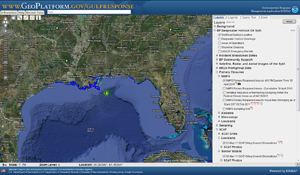
This week, we have added a few more entries, many with a government or NGO focus. Starting close to home, we have NYCityMap, New York City’s official online map portal. Aiming further south, there is GeoPortal Gulf Response, which tracks information related to the oil spill in the Gulf of Mexico. Finally, and not at all south, we have the Norwegian National Mapping Authority’s official online Norway Map (Norgeskart).
We invite you to enter the Gallery and wander around. We’ll be showcasing more applications in the weeks to come.
May 3rd
Of all the questions we are commonly asked, who is using your software? ranks pretty highly.
While we publish numerous case studies about clients who have built applications directly with us, there are many more organizations that have built amazing projects using software that underlies the OpenGeo Suite, namely PostGIS, GeoServer, GeoWebCache, OpenLayers, and GeoExt.
In hopes of better publicizing these projects, we have created the OpenGeo Gallery to showcase the best applications built using software that we support. Whether you are interested in all examples together in one place or just some highlighted examples, the OpenGeo Gallery highlights some great organizations making use of cutting-edge technology.
As time goes on, we hope to add to the Gallery and showcase some of those applications here on the blog. If you know of an application using the OpenGeo Suite or any of its components and wish to have us publicize it on our website./p>
View the OpenGeo Gallery
October 25th
GeoExt is a library for building rich, desktop-like applications in your browser. If you’ve used GeoExplorer, Styler, or GeoNode then you know how well it performs.
Since GeoExt is not only based on OpenLayers (for the mapping component) but also Ext JS (for the widget framework), we often get questions about the licensing of applications built with GeoExt or about its relationship to Sencha, the company behind Ext JS. In the interest of getting everything out in the open, here are some answers to licensing questions that we hope you’ll find helpful.
Q: Can I use Ext JS with my open source application?
A: Yes. Ext JS is licensed under the GPL, so as long as the terms of the GPL are preserved you may use Ext JS with your application.
Q: I’m a commercial company and I can’t/won’t release the code for my application, can I still use Ext JS?
A: Yes. To include Ext JS in a closed source application you must buy a Sencha license for each of the developers on your team. At just $329 per single license (without support), it’s very reasonable—there are no additional costs and you don’t need to pay royalties above and beyond the license fee. Since GeoExt and OpenLayers are BSD licensed, you are permitted to keep your code totally closed as long as you have purchased this license.
October 1st
What do GeoNode and GeoExt have in common? Both will be represented at the OSGeo Park (Hall 11.2, Booth 2c.121) of the INTERGEO trade fair and conference on October 5-7 in Cologne, Germany. Andreas Hocevar, core developer for both projects, will be talking about Web Map Printing with GeoExt and SDI Best Practices with GeoNode. He will also be available for questions on all the projects that are packaged with our OpenGeo Suite—but especially OpenLayers and GeoServer.
What else do GeoNode and GeoExt have in common? We are planning a 1.0 release for both in the next couple of days!
May 5th
OpenGeo is pleased to announce the first release of Styler (demo), which we believe is one of the best SLD editors out there.
“SLD” stands for ‘Styled Layer Descriptor.’ It is an open standard of rules for rendering of maps. Think of it as CSS for maps: it controls the colors, line widths, strokes, labels, varying them according to scale and attributes of the data.
Our initial goal is modest – make it easier for people to get their data in GeoServer and portrayed as they want. One of GeoServer’s advantages is its point-and-click web administration GUI. But when it comes to configuring how your map looks, GeoServer currently provides only a text box to fill out with SLD. Styler is the last piece needed for full GUI configuration of data. The initial release doesn’t cover all the potential rendering options that GeoServer supports, but we think it does a good job of covering the basics.
Despite humble beginning, Styler’s future is ambitious. Our aim is to democratize cartography, enabling anyone to create a map that emphasizes what they want to emphasize. And we want to give web designers the ability to design maps that match the rest of their site’s aesthetics, instead of picking between the handful of commercially provided options. In time we hope to incorporate full thematic mapping of statistics, as well as the ability to take someone else’s map and restyle it as one likes.
Though the initial release of Styler is a full application that integrates with GeoServer, Styler has been designed to be a component of GeoExt. This means the styling of data can be incorporated in other mapping applications. We seek to grow consumers of maps in to producers, so that users see maps as something that they can change and make their own, even within the context of another application.
Doing this well demands many usability improvements. Our goal is to make map creation an intuitive process that anyone can do. If you are interested in the goals or the results, please join us, we can use help with coding, testing, and funding. You can join the mailing list, and check out the roadmap to see where we’re hoping to head.
April 9th
Back in the “good old days” (prior to, say, 2000) organizations that needed to collect geospatial information from their operational staff had a few clear technology choices:
- Build some form and query extensions to ArcView 3. Relatively cheap on developer time, but expensive for roll-out because of per-workstation licensing. Roll-out involved installing on all desktops.
- Build a desktop application using a “developer toolkit” like MapObjects. Required more developer skills, but was cheaper to roll-out. Rollout involved installing on all desktops.
- Grit teeth and build a web-based application using new-fangled software like ArcIMS. Required quite a bit of development skill, using cutting-edge web technology, and building many very basic components (zoom boxes, map frames) from scratch. Some aftermarket technology grew up to support application building, but it tended to be quite tightly bound to the application domains — you either loved it, or it was useless to you.
In the intervening years, general purpose technology for building web applications has caught up to the capabilities previously only available on the desktop. Google, and now Apple, are offering 100% web-based versions of software like spreadsheets and presentations that was previously only available on the desktop. The development effort required to build professional-quality user interfaces for the web has plummeted as toolkits like Prototype and ExtJS have become available.
Geospatial applications are following the footsteps of mainstream IT. Open source toolkits like OpenLayers allow maps to be embedded in web pages without the encumbrance of Google or Microsoft license agreements, and without building core functionality from scratch. GeoExt is tying the map functions of OpenLayers to the desktop-style interface elements of ExtJS.
The result is a new age in custom spatial applications. The web is the new ArcView, and a GeoExt/OpenLayers/Geoserver technology stack can be used to build interactive applications quickly.
And the best part is, the deployment cost is the same, whether there are 2 end users or 2000 end users. Perhaps the good old days weren’t so good after all!
February 5th
James Fee is thinking about building a new application, and wondering what kind of geostack to use.
As I begin to prepare to kickoff a project next week with a client, I’m thinking tonight about what I’m working with; ArcSDE 9.2, Apache withTomcat and Oracle 10g. Beyond that I’m free to work with whatever solution best meets the customers needs. Do we go with ArcGIS Server 9.2 or 9.3? Do we go with the Java Web ADF or the ESRI REST API? Do we go with GeoServer or MapServer? Do we go with the ArcGIS JavaScript API or OpenLayers?
Proprietary stacks tend to bind each layer tightly to the layers above and below it, so that choosing a middleware dictates the best user interface layer, and so on. This makes solid business sense in the proprietary world: keep your friends close and your customers closer.
In the open source world, loose coupling is the norm. The flexibility to mix and match parts, without worrying about the licensing implications of deploying parts of the system on multiple servers, gives teams more latitude in creating designs. You shouldn’t have to ask your vendor for permission to deploy software on the systems you want, in the combinations you want.
An example of the loose coupling principle in action is the nascent GeoExt project. A collaboration between OpenGeo and Camptocamp, GeoExt is binding OpenLayers and spatial smarts into ExtJS Javascript widgets. OpenGeo plans to sit our GeoExt implementations on top of Geoserver middleware. Camptocamp is targeting Mapserver/Pylons as their middleware. Because we are designing for loose coupling from the start, we can work together to build something useful for both of us.