Running Arbitrary Spatial SQL
If you have installed the PostGIS database, the Medford data, and Tomcat, you should be able to view the functioning example here:
https://localhost:8080/spatialdbtips/05-arbitrary-sql.html
In the last example, we showed features being drawn based on SQL passed through a script that output GeoJSON. Once you have a script like that, the next step is to simply hand it any old SQL you feel like, and that is what this example shows.
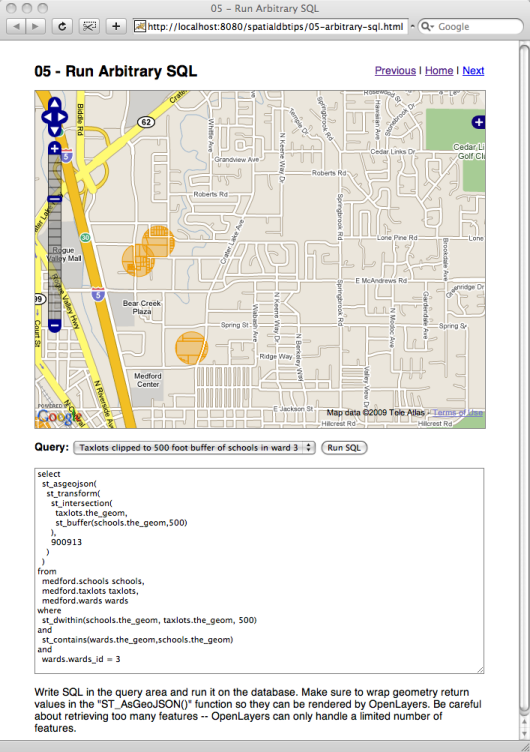
Choosing a query from the drop-down list makes the SQL available for editing before it is submitted to the database for retrieval.
The first example just retrieves all the school points. Note that we transform them into the “900913” coordinate reference system, so they line up with our base map.
select
st_asgeojson(
st_transform(the_geom,900913)
)
from
medford.schools
You can make the query more exciting by wrapping the the_geom term in an ST_Buffer() function to turn the points into larger circles. ST_Buffer() the points by 2500 feet. Whoa, big circles!
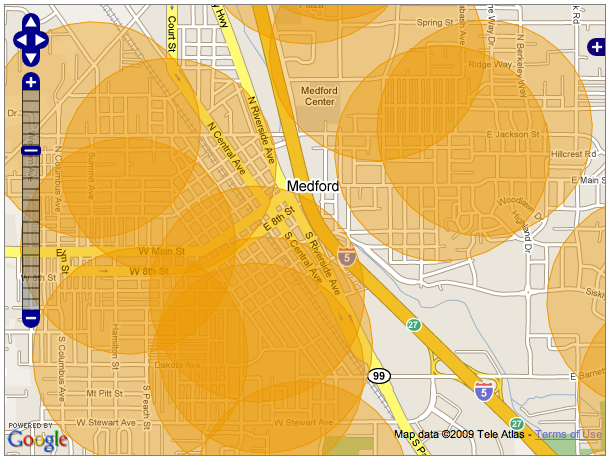
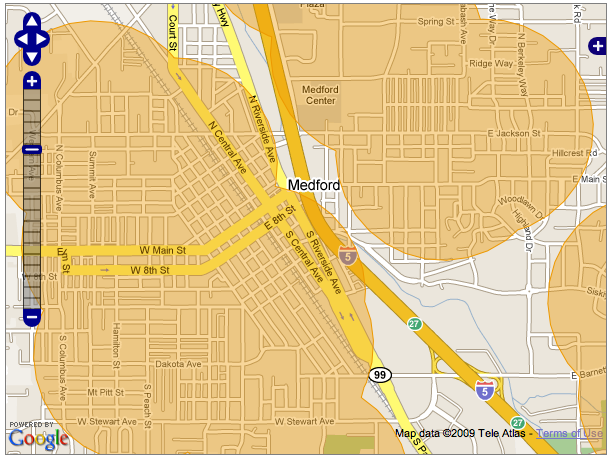
Now, wrap the ST_Buffer() in an ST_Union(). All the overlapping portions are melted away.
The second example spatially joins the school points to the buildings layer. How can we find school buildings? How about buildings that contain a school point.
select
st_asgeojson(
st_transform(st_force_2d(buildings.the_geom),900913)
)
from
medford.buildings
buildings,
medford.schools
schools
where
st_contains(buildings.the_geom,
schools.the_geom)
The call to ST_Contains() gives us all the buildings containing school points. Note the ST_Force_2d() call at the top - that is needed because the buildings data is actually 3D! Unfortunately, OpenLayers only understands 2D GeoJSON, so if you feed it 3D features it fails to draw them. Fortunately, the database has the tools to reduce the dimensionality.
The third example is just like the second, except using tax lots.
select
st_asgeojson(
st_transform(taxlots.the_geom,900913)
)
from
medford.taxlots
taxlots,
medford.schools
schools
where
st_contains(taxlots.the_geom,schools.the_geom)
Try wrapping the geometry in an ST_Centroid() to turn the lots back into points. Or, move the geometries 500 feet to the right, by using ST_Translate(the_geom,500,0).
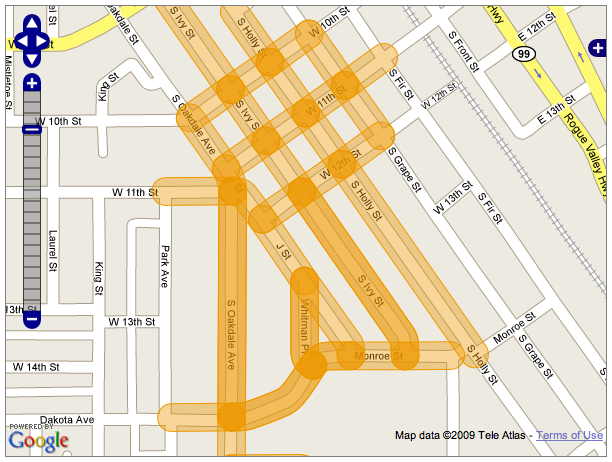
The fourth example pulls linear features, streets, that are nearby to the school points.
select
st_asgeojson(
st_transform(streets.the_geom,900913)
)
from
medford.streets
streets,
medford.schools
schools
where
st_dwithin(schools.the_geom,
streets.the_geom,
500)
Again, you can buffer the streets to create hotdog shapes.
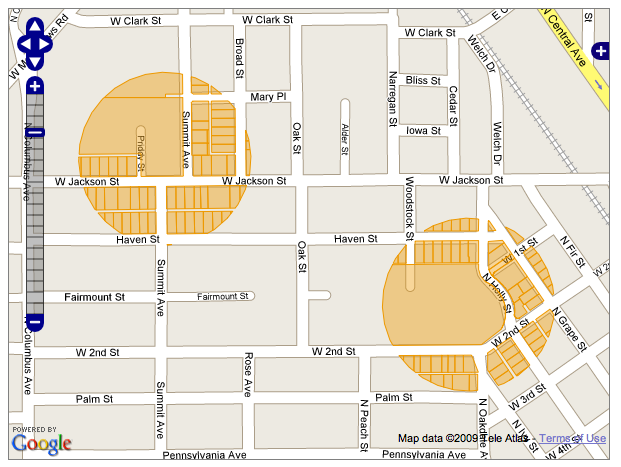
The final example is fairly complex. It takes the school points, buffers them into circles, then intersects those circles with the tax lots, to create circular “tax lot cookies” (mmmMMMmmm).
select
st_asgeojson(
st_transform(
st_intersection(
taxlots.the_geom,
st_buffer(schools.the_geom,500)
),
900913
)
)
from
medford.schools
schools,
medford.taxlots
taxlots,
medford.wards
wards
where
st_dwithin(schools.the_geom,
taxlots.the_geom,
500)
and
st_contains(wards.the_geom,schools.the_geom)
and
wards.wards_id
=
3
In order to make it run a little faster, the calculation is further restricted by spatially joining to the wards and only doing the calculation in ward #3.
About OpenGeo
OpenGeo provides commercial open source software for internet mapping and geospatial application development. We are a social enterprise dedicated to the growth and support of open source software.
License
This work is licensed under a Creative Commons Attribution-Share Alike 3.0 United States License. Feel free to use this material, but we ask that you please retain the OpenGeo branding, logos and style.